Application tracker
When you apply to ten places in a week, the follow-up is what gets forgotten, and the follow-up is what often gets the interview. This spreadsheet keeps every application in one place and tells you when to check in.
How it works
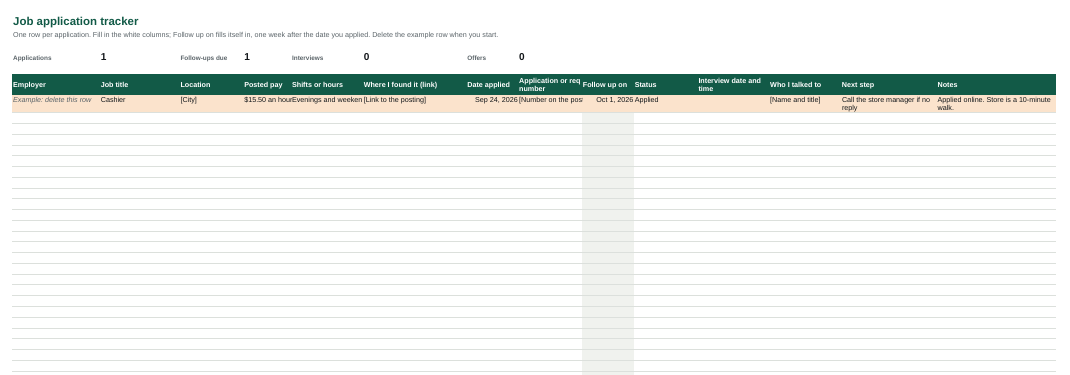
Add a row the day you apply: the employer, the job, the date and where you found it. The follow-up date fills itself in a week later. When that day comes and the status still says Applied, the row turns orange, and the count at the top shows how many follow-ups are due.
Change the status as things move, from Called back through Interview, Trial shift, Offer and Background check to Hired. Rows marked Not selected fade out so the live ones stand out.
Using it in Google Sheets
Open Google Drive, choose New, then File upload, and pick the downloaded file. Open it with Google Sheets. It then works on your phone too, which is handy when a manager calls back while you are out.
What to do with it
- On the follow-up date, send the follow-up message, then write the next step in the row.
- Before an interview, read the row: the pay, the shifts and anything you noted when you applied.
- Keep going until you have a written offer. One interview is not a job yet.
The tracker is yours to change. Add columns, rename statuses or delete what you do not use.